


After months of staying at home, chances are you've streamed your share of TV shows and movies. And maybe you've noticed a thing or two about whatever streaming device you're using. Maybe Netflix doesn't load as quickly as you'd like, maybe the remote is a pain to operate, maybe that old tablet is slowing to a crawl. In short, maybe it's time to invest in a new device to watch your shows on.
Our Picks
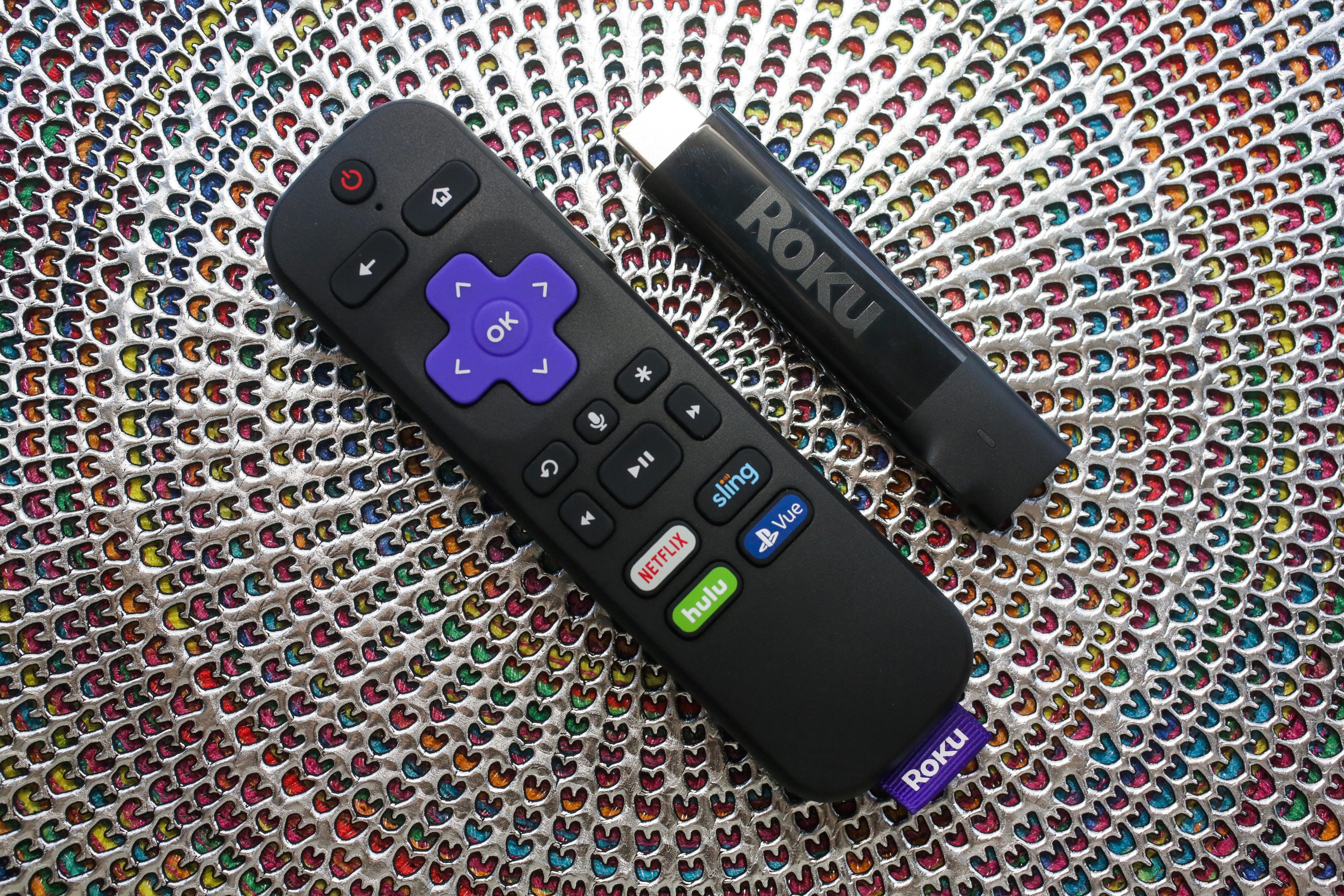
Roku makes our favorite streaming system, with the most streaming apps, the simplest interface, the best search and a content-agnostic platform that doesn't push any one media streaming provider, like Amazon Prime Video or iTunes, over another. The Plus is one of the cheapest streaming TV options with 4K HDR, and even if your current TV doesn't support that format, your next one probably will. Its practical features, like a remote control that can control your TV's volume and power, seal the deal.
Pros
- The Roku Streaming Stick Plus delivers 4K and HDR video in a compact package for an affordable price. Its dead-simple interface puts every streaming service on a level playing field. Roku's responses are lightning fast, its video quality as good as any streamer, and its remote can control your TV's volume and power.
Cons
- It costs $10 more than the newer Roku Express 4K Plus, which has basically the same features. The menus can seem dated compared to rivals, it lags behind Fire TV for voice support and it doesn't stream in Dolby Vision.
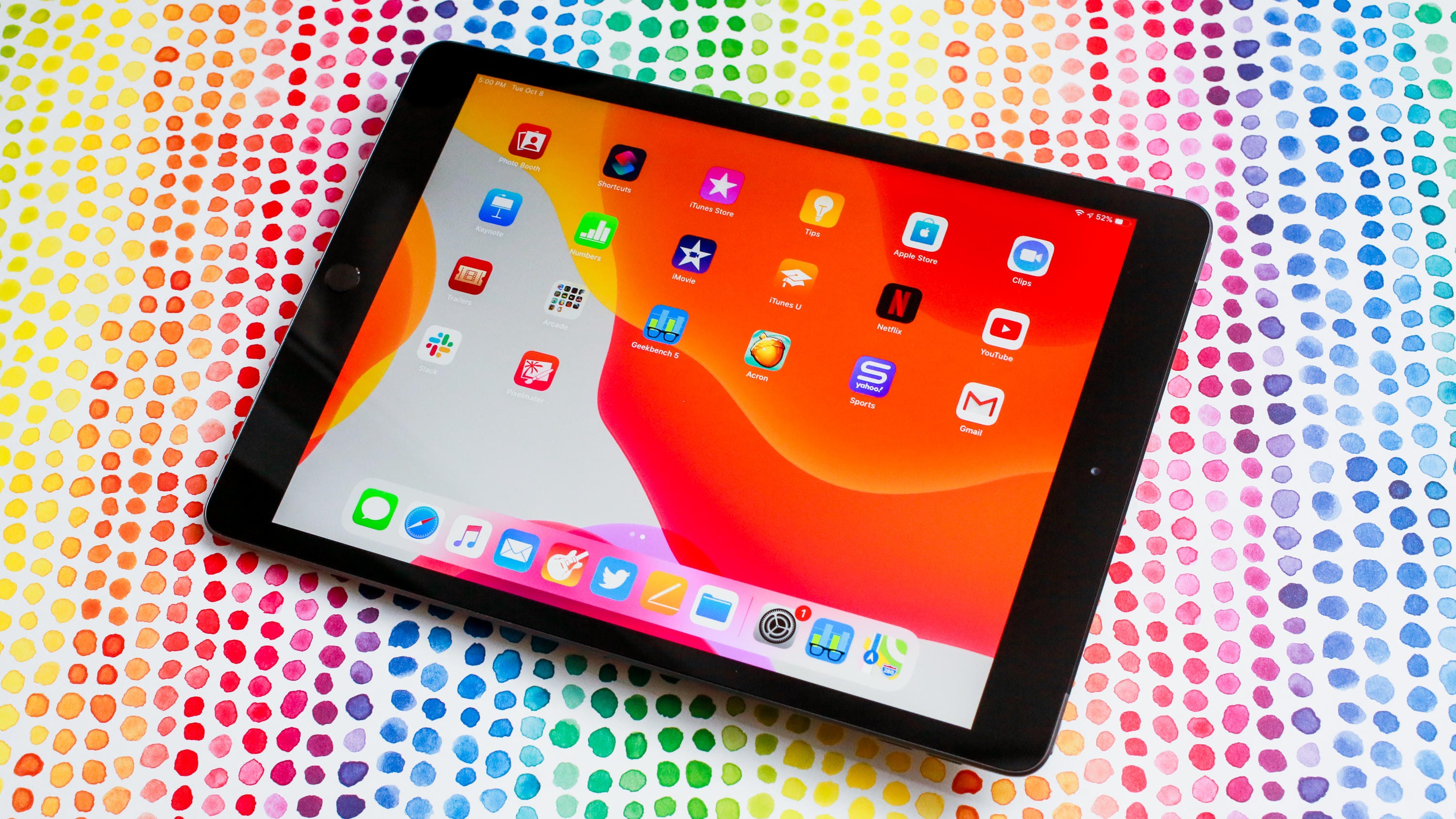
Apple's entry-level iPad offers long-lasting battery life and a bigger screen for enjoying TV and movie apps, whether streamed or downloaded. Older processor aside, this is a perfectly good iPad that will handle all your family's streaming needs and more. It does cost more than the competition, however, so it always pays to look for a good deal.
Pros
- The 10.2-inch iPad has a larger display than before.
- Smart Connector supports a few snap-on keyboard accessories.
- One of the most affordable devices in Apple's gadget lineup.
- iPad OS works better than expected and is well-optimized for the A10 processor.
Cons
- The base 32GB of storage isn't enough, meaning you'll really be paying $429 for the 128GB model.
- It's bigger and heavier than older model.
- The older A10 processor is the same as the previous iPad's, which you can still get on sale.
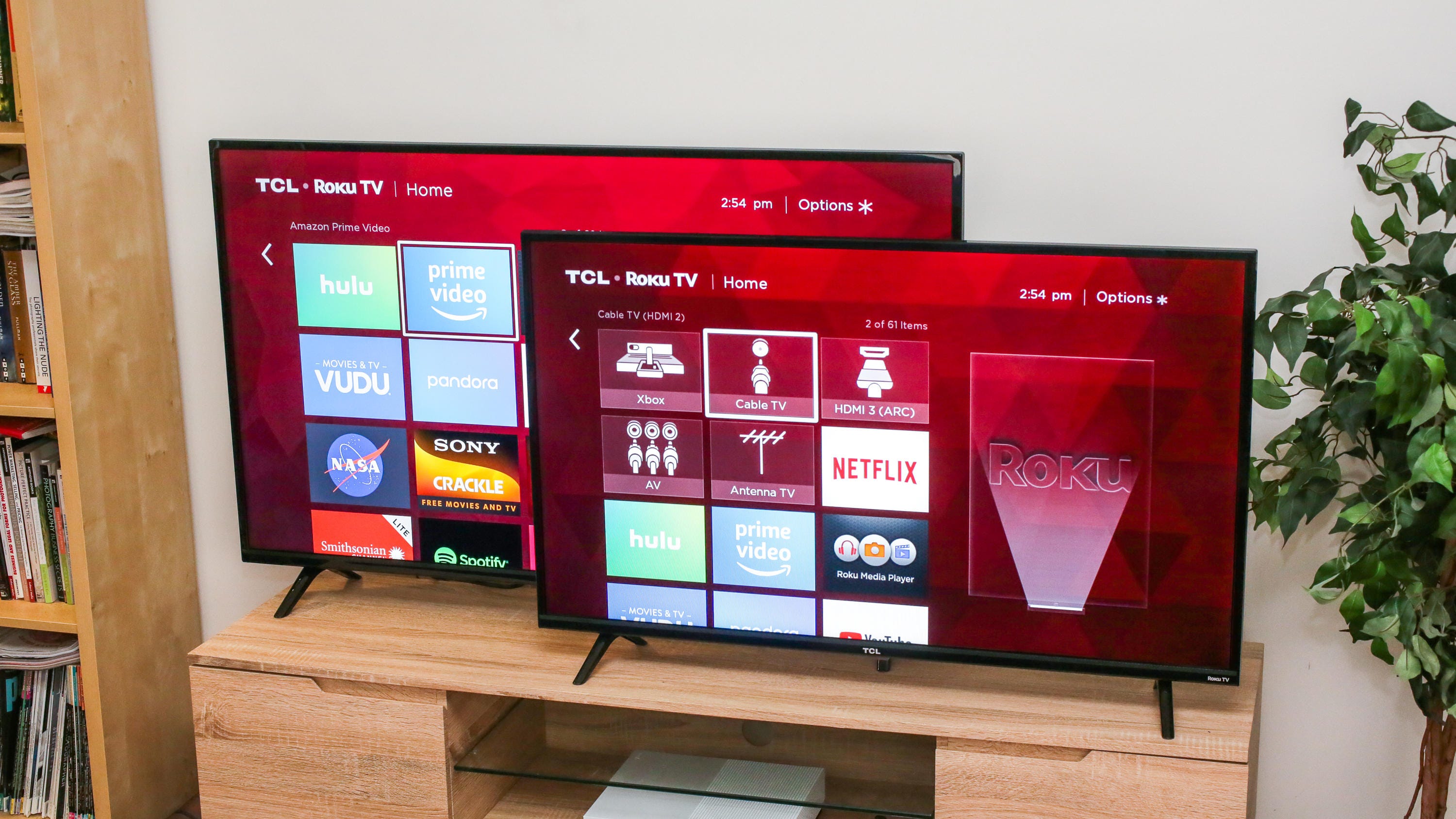
As we mentioned, Roku makes our favorite media streamers for live TV streaming apps like Netflix, and it's even better as a platform baked into a TV. This TCL 4-Series is one of the most affordable Roku TVs on the market, available in a range of sizes and with image quality that's perfectly fine for most people, especially at this price.
Pros
- The TCL S425 series is one of the least expensive smart TVs you can buy. Roku TV delivers the best smart TV experience on the market, with a simple, responsive user interface, thousands of apps and constant feature upgrades.
Cons
- It has worse picture than Vizio's E series TVs. 4K resolution and HDR don't deliver a substantial improvement in image quality.
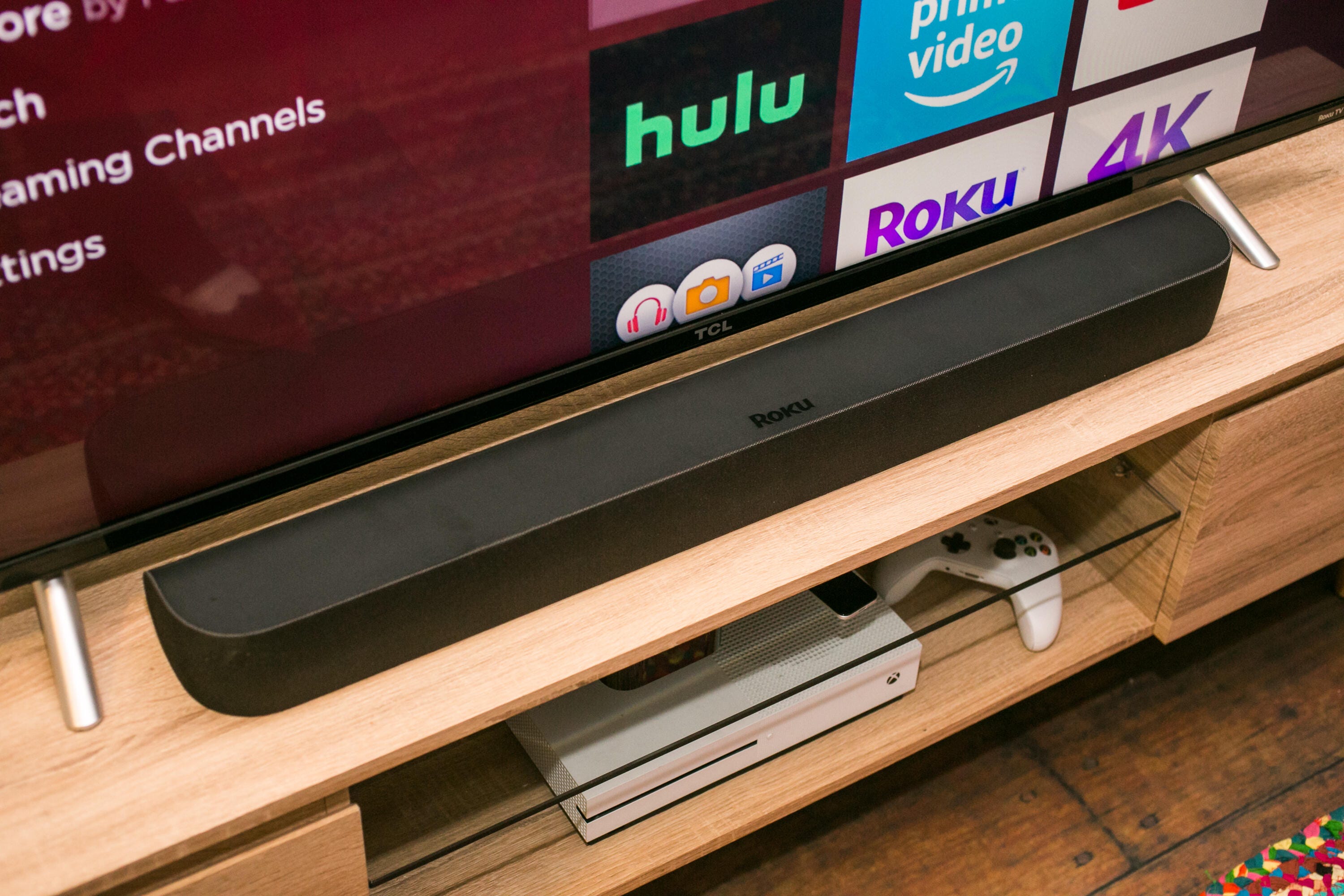
Soundbars with onboard streaming may be a relatively recent development, but Roku's Smart Soundbar came fully formed out of the gate. With excellent sound, the Roku interface users know and love and an affordable price, this a great option for a media streamer in a bedroom or holiday house.
Pros
- The Roku Smart Soundbar combines a full-function 4K HDR Roku streamer with a soundbar in one affordable package.
- Easy set-up and impressive sound from a single bar.
- Optional $179 subwoofer is a cost-effective upgrade.
Cons
- Some competing streamer-less soundbars are less expensive and sound better.
- No buttons on the unit (including power) and no remote finder as seen on the Roku Ultra.
- The wireless speakers aren't worth the upgrade, yet.
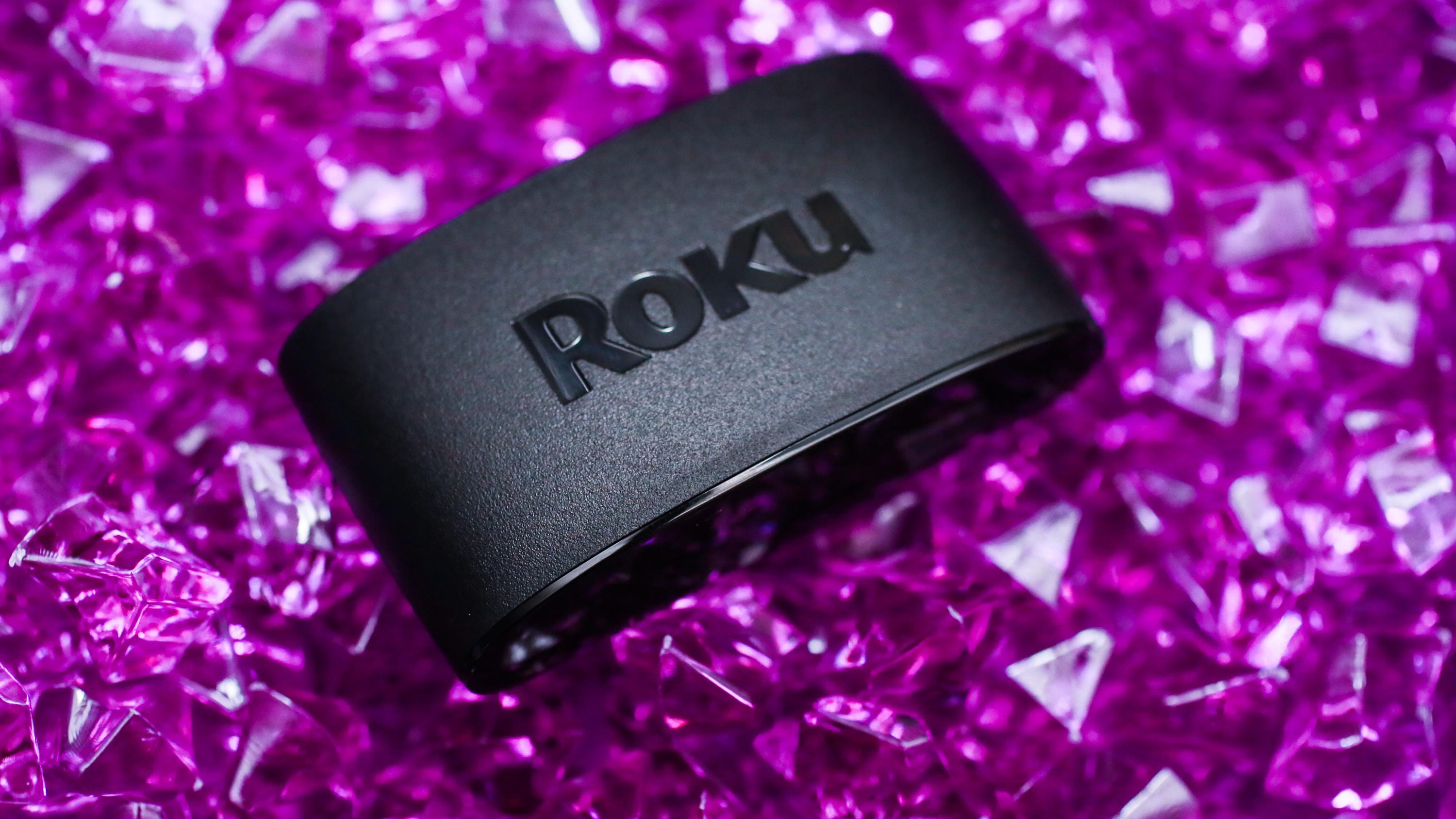
For the price of a Blu-ray Disc, you can get a whole media streamer, which comes with plenty of free content. The Express delivers all of the goodness of Roku's platform, and it includes a remote, an HDMI cable and a little sticker to keep it in place.
Pros
- The Roku Express (2019) is an affordable, easy-to-use mini streamer with access to thousands of apps. Load times and app performance are quick and reliable.
Cons
- Lacks the TV control buttons and point-anywhere voice remote included on the more-expensive Express Plus and Amazon Fire TV Stick.
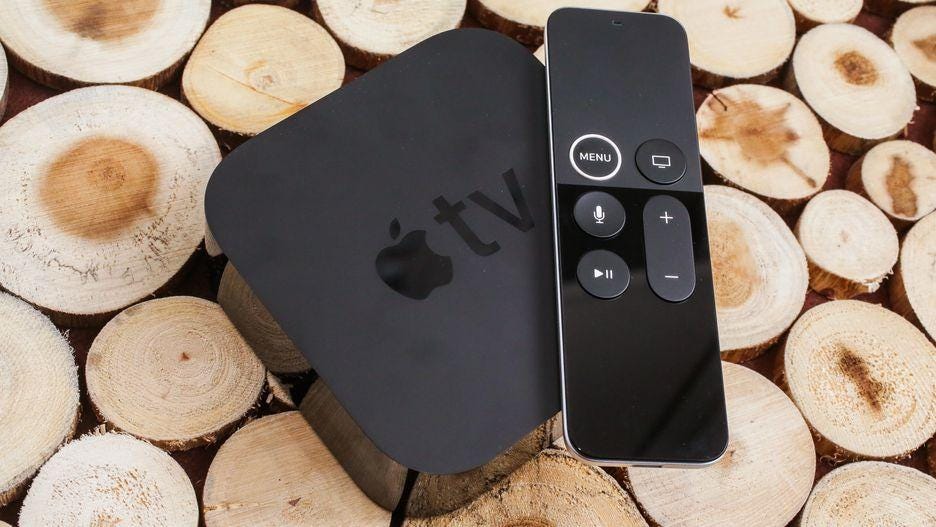
The perfect foil to the Roku Streaming Stick Plus, the Apple TV costs over $100 more but is the better choice for people who can appreciate its advantages. Those include compatibility with Dolby Vision HDR, flexible upconversion, superior voice control features, a better remote and a smoother, slicker user interface. The Apple TV 4K is so good for media streaming, it even makes sense if you're not an "Apple person."
Pros
- The Apple TV 4K delivers the best streaming video available to compatible 4K, HDR and Dolby Vision TVs. It offers the most polished streaming experience today and excellent Siri voice options.
Cons
- The Apple TV 4K is expensive. Cheaper streaming devices from Roku and others offer similar image quality and capabilities.

At $100, this is the most expensive Roku, but if you must have it all then the Roku Ultra has it all to offer. While in terms of image quality and operating system it's indistinguishable from the Streaming Stick Plus, the Ultra is especially handy for the forgetful among us. The Ultra offers both a remote finder and two extra customizable shortcut buttons for your favorite services.
Pros
- The Roku Ultra 2019 has a few neat conveniences including a voice remote with programmable shortcut buttons. It's slightly faster than earlier Rokus. Ease of use remains best-in-class, and its Ethernet port is a boon for folks with spotty Wi-Fi.
Cons
- The $100 Ultra's extras aren't worth the money over the cheaper Streaming Stick Plus. The Ultra still doesn't offer Dolby Vision HDR.
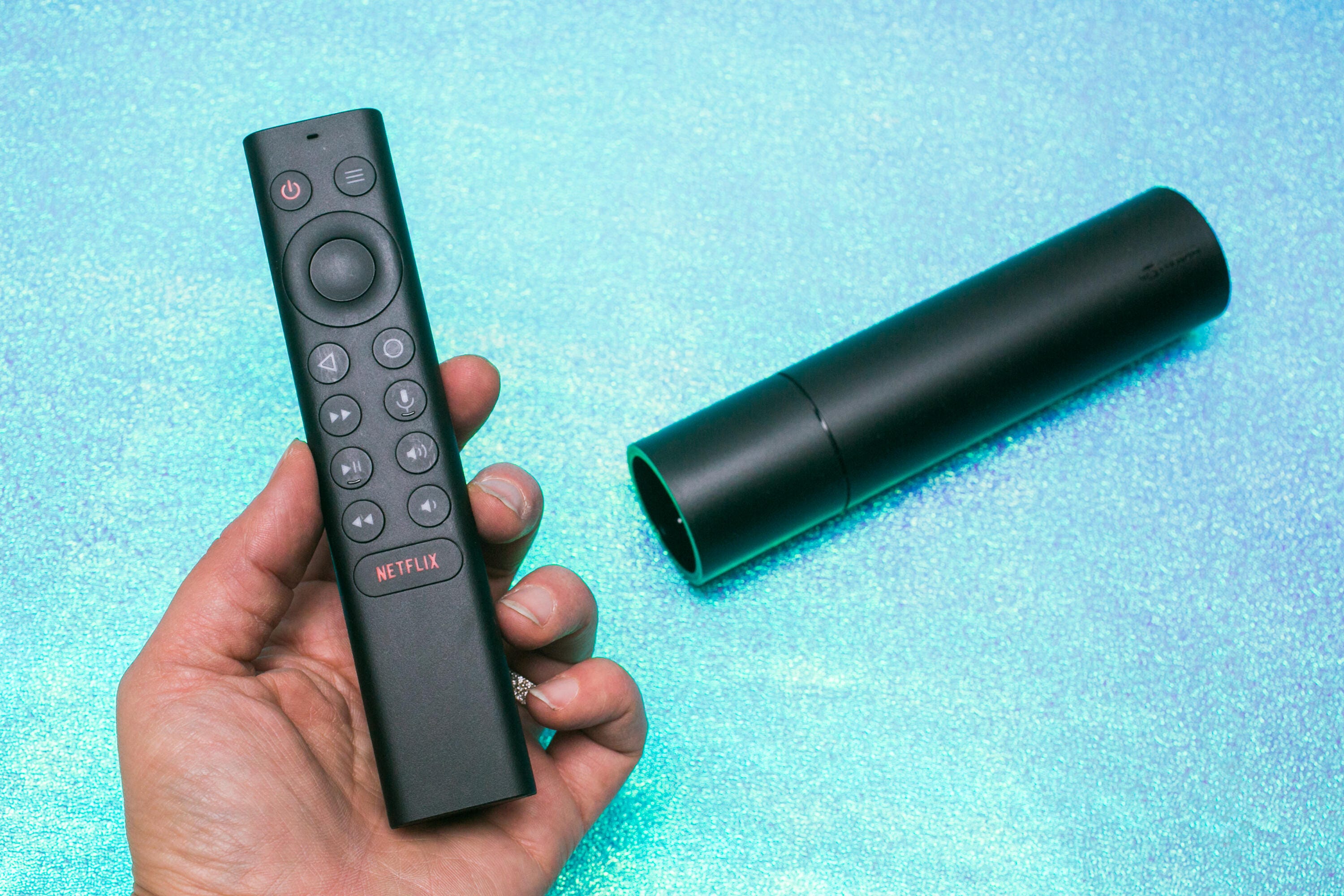
Sure, it's an expensive media streamer at $150 -- and that's before adding a game controller -- but if you want a jack-of-all-trades video media player, the Shield is it. In addition to being a streaming media player in 4K and HDR, it offers a robust library of games, both console-level and Android, Steam Link, built-in Google Assistant complete with smart home control, NAS access, Plex server capability, HDHomeRun integration and much more.
Pros
- Cutting-edge streaming with 4K AI upscaling, Dolby Vision
- Native Android, cloud gaming and Steam Link options
- Improved Android TV interface with Google Assistant
Cons
- Expensive
- Some issues understanding voice commands
- Slower than Roku to launch Netflix
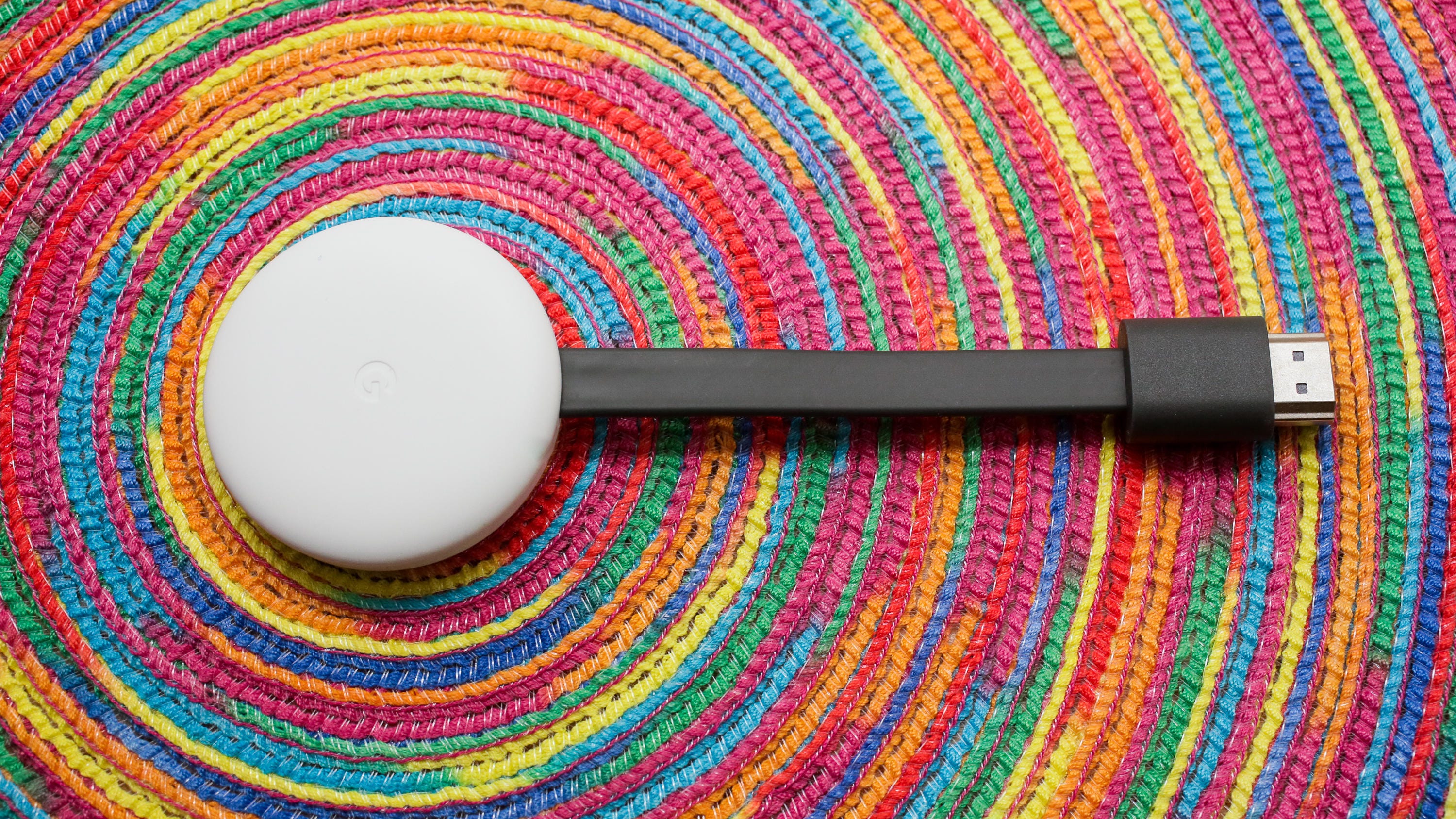
The Chromecast is one of the cheapest ways to get video to stream on your TV, but unlike the other streamers listed here it doesn't come with a remote. Instead it works in combination with a phone or Google Assistant for voice control and voice search. The latter method is great for calling up shows on Netflix or Disney Plus.
Pros
- The super-affordable Chromecast streams Netflix, YouTube, Spotify, Pandora, HBO Now and thousands of other apps and games to your TV using an smartphone, PC or even voice as the controller. It hides neatly behind your TV.
Cons
- The lack of a dedicated remote means you always need a smartphone, tablet or PC nearby to use it. Competitors at the same price offer physical remotes and onscreen displays, which are easier to use. There still no app support for Amazon Prime Video.
STREAMING PLAYER DEALS OF THE WEEK
- $70 (save $30)
- $75 (save $25)
- $170 (save $10)
We've reviewed every major streaming media player available, brands such as Roku, Amazon, Chromecast and Apple TV, as well as numerous smart TVs and tablets like the iPad, which are perfect for watching TV around the house when the TVs themselves are all occupied.
We took into account all kinds of factors, from the remote control and whether a device would respond to a voice command, to streaming speeds and device compatibility. There's more than one streaming player out there, and there's no need to keep using an ancient Fire Stick, iOS device or Roku device if it's no longer performing the way you want it to as you stream your favorite TV episodes. Further, the newer versions of these streaming devices have upgraded features, like 4K streaming and access to live TV. And, if you've already sprung for that 4K Ultra HD TV, you really need to update your TV streaming device as well to take your viewing experience to the next level.
So if your current media streaming device is getting long in the tooth, or you need an extra one to turn your otherwise-fine dumb TV into a smart TV, here are our favorites.

Pros
- The Roku Streaming Stick Plus delivers 4K and HDR video in a compact package for an affordable price. Its dead-simple interface puts every streaming service on a level playing field. Roku's responses are lightning fast, its video quality as good as any streamer, and its remote can control your TV's volume and power.
Cons
- It costs $10 more than the newer Roku Express 4K Plus, which has basically the same features. The menus can seem dated compared to rivals, it lags behind Fire TV for voice support and it doesn't stream in Dolby Vision.
Roku makes our favorite streaming system, with the most streaming apps, the simplest interface, the best search and a content-agnostic platform that doesn't push any one media streaming provider, like Amazon Prime Video or iTunes, over another. The Plus is one of the cheapest streaming TV options with 4K HDR, and even if your current TV doesn't support that format, your next one probably will. Its practical features, like a remote control that can control your TV's volume and power, seal the deal.

Pros
- The 10.2-inch iPad has a larger display than before.
- Smart Connector supports a few snap-on keyboard accessories.
- One of the most affordable devices in Apple's gadget lineup.
- iPad OS works better than expected and is well-optimized for the A10 processor.
Cons
- The base 32GB of storage isn't enough, meaning you'll really be paying $429 for the 128GB model.
- It's bigger and heavier than older model.
- The older A10 processor is the same as the previous iPad's, which you can still get on sale.
Apple's entry-level iPad offers long-lasting battery life and a bigger screen for enjoying TV and movie apps, whether streamed or downloaded. Older processor aside, this is a perfectly good iPad that will handle all your family's streaming needs and more. It does cost more than the competition, however, so it always pays to look for a good deal.

Pros
- The TCL S425 series is one of the least expensive smart TVs you can buy. Roku TV delivers the best smart TV experience on the market, with a simple, responsive user interface, thousands of apps and constant feature upgrades.
Cons
- It has worse picture than Vizio's E series TVs. 4K resolution and HDR don't deliver a substantial improvement in image quality.
As we mentioned, Roku makes our favorite media streamers for live TV streaming apps like Netflix, and it's even better as a platform baked into a TV. This TCL 4-Series is one of the most affordable Roku TVs on the market, available in a range of sizes and with image quality that's perfectly fine for most people, especially at this price.
Sizes: 43-, 50-, 55-, 65-, 75-inch. (The price shown below is for the 65-inch size.)

Pros
- The Roku Smart Soundbar combines a full-function 4K HDR Roku streamer with a soundbar in one affordable package.
- Easy set-up and impressive sound from a single bar.
- Optional $179 subwoofer is a cost-effective upgrade.
Cons
- Some competing streamer-less soundbars are less expensive and sound better.
- No buttons on the unit (including power) and no remote finder as seen on the Roku Ultra.
- The wireless speakers aren't worth the upgrade, yet.
Soundbars with onboard streaming may be a relatively recent development, but Roku's Smart Soundbar came fully formed out of the gate. With excellent sound, the Roku interface users know and love and an affordable price, this a great option for a media streamer in a bedroom or holiday house.

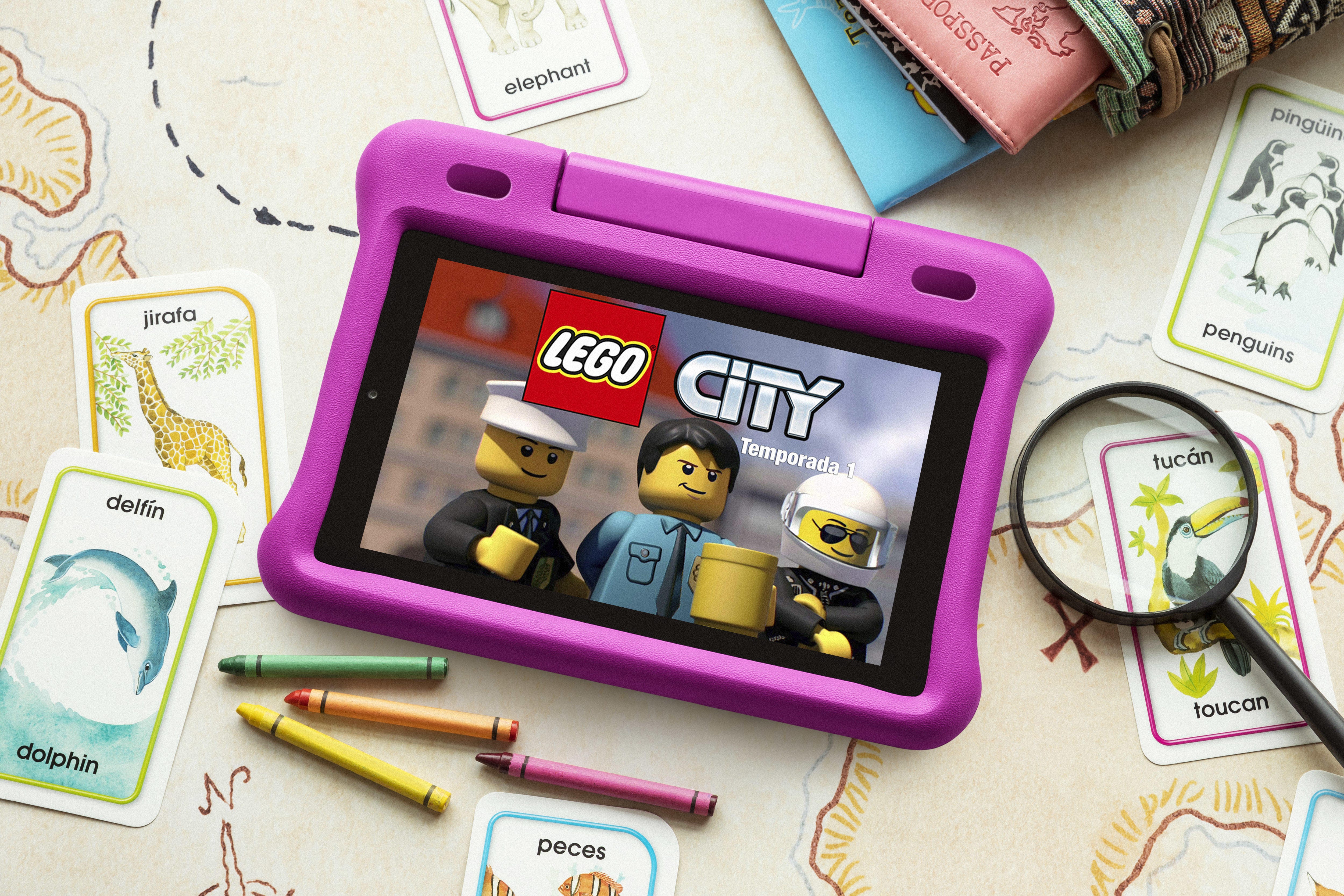
The Fire HD 10 Kids Edition is the kid-friendly version of the Amazon Fire HD 10, with the largest display in the lineup of Amazon tablets. Just like its 7- and 8-inch siblings, the tablet features a ton of parental control options and a rubberized bumper case to protect the device against drops. This 10-inch tablet also includes a two-year "no questions asked" replacement warranty and a one-year subscription to FreeTime Unlimited, a content library that gives kids access to plenty of age-appropriate videos, books, games and apps.

Pros
- The Roku Express (2019) is an affordable, easy-to-use mini streamer with access to thousands of apps. Load times and app performance are quick and reliable.
Cons
- Lacks the TV control buttons and point-anywhere voice remote included on the more-expensive Express Plus and Amazon Fire TV Stick.
For the price of a Blu-ray Disc, you can get a whole media streamer, which comes with plenty of free content. The Express delivers all of the goodness of Roku's platform, and it includes a remote, an HDMI cable and a little sticker to keep it in place.

Pros
- The Apple TV 4K delivers the best streaming video available to compatible 4K, HDR and Dolby Vision TVs. It offers the most polished streaming experience today and excellent Siri voice options.
Cons
- The Apple TV 4K is expensive. Cheaper streaming devices from Roku and others offer similar image quality and capabilities.
The perfect foil to the Roku Streaming Stick Plus, the Apple TV costs over $100 more but is the better choice for people who can appreciate its advantages. Those include compatibility with Dolby Vision HDR, flexible upconversion, superior voice control features, a better remote and a smoother, slicker user interface. The Apple TV 4K is so good for media streaming, it even makes sense if you're not an "Apple person."

Pros
- The Roku Ultra 2019 has a few neat conveniences including a voice remote with programmable shortcut buttons. It's slightly faster than earlier Rokus. Ease of use remains best-in-class, and its Ethernet port is a boon for folks with spotty Wi-Fi.
Cons
- The $100 Ultra's extras aren't worth the money over the cheaper Streaming Stick Plus. The Ultra still doesn't offer Dolby Vision HDR.
At $100, this is the most expensive Roku, but if you must have it all then the Roku Ultra has it all to offer. While in terms of image quality and operating system it's indistinguishable from the Streaming Stick Plus, the Ultra is especially handy for the forgetful among us. The Ultra offers both a remote finder and two extra customizable shortcut buttons for your favorite services.

Pros
- Better streaming format support than anything in its price range. Voice features are best-in-class, and Echo and Dot owners can control it with Alexa. Its app and game selection is superb, responses are lightning fast and video quality is as good as any streamer. The remote can control volume and power on TVs and soundbars.
Cons
- The user interface pushes Amazon content too aggressively. The selection of 4K, HDR and Dolby Vision TV shows and movies is worse than on Apple TV 4K or Roku.
With Alexa, Amazon has done more than any other company to integrate voice commands into the ways we consume media. The Fire TV Stick 4K bakes Alexa right into the remote, and you can use voice control to search for Gremlins or turn on your Christmas tree. Or both at the same time. Throw in a massive selection of content with an easy-to-use menu and the Amazon Fire TV Stick 4K represents excellent value for money when it comes to streaming media.

Pros
- Cutting-edge streaming with 4K AI upscaling, Dolby Vision
- Native Android, cloud gaming and Steam Link options
- Improved Android TV interface with Google Assistant
Cons
- Expensive
- Some issues understanding voice commands
- Slower than Roku to launch Netflix
Sure, it's an expensive media streamer at $150 -- and that's before adding a game controller -- but if you want a jack-of-all-trades video media player, the Shield is it. In addition to being a streaming media player in 4K and HDR, it offers a robust library of games, both console-level and Android, Steam Link, built-in Google Assistant complete with smart home control, NAS access, Plex server capability, HDHomeRun integration and much more.

Pros
- The super-affordable Chromecast streams Netflix, YouTube, Spotify, Pandora, HBO Now and thousands of other apps and games to your TV using an smartphone, PC or even voice as the controller. It hides neatly behind your TV.
Cons
- The lack of a dedicated remote means you always need a smartphone, tablet or PC nearby to use it. Competitors at the same price offer physical remotes and onscreen displays, which are easier to use. There still no app support for Amazon Prime Video.
The Chromecast is one of the cheapest ways to get video to stream on your TV, but unlike the other streamers listed here it doesn't come with a remote. Instead it works in combination with a phone or Google Assistant for voice control and voice search. The latter method is great for calling up shows on Netflix or Disney Plus.
More home entertainment advice
- Disney Plus: Early movie releases and everything else in coronavirus lockdown
- Free movies: 10 Netflix alternatives that will keep you entertained
- 30 best movies to watch on Disney Plus
- 30 of the best TV shows to watch on Hulu
- YouTube TV vs. Sling TV vs. Hulu vs. Philo vs. FuboTV vs. AT&T TV Now: Live channels compared
- Still haven't tried Netflix Party? Here's how to watch movies with friends for free
- Save on Netflix, Amazon Video, HBO and Spotify with these cord-cutter credit cards
- Best universal remotes of 2020
- YouTube TV hiked its price to $65. Sling TV and Hulu are the best alternatives
- This is the best cheap live-TV streaming service for cord cutters
- Best AV receivers of 2020
- The best Google Assistant and Google Home devices of 2020

